|
April 2024 Lightboard vs Smart-LightboardWhat are the key benefits that the Smart-Lightboard offers? 
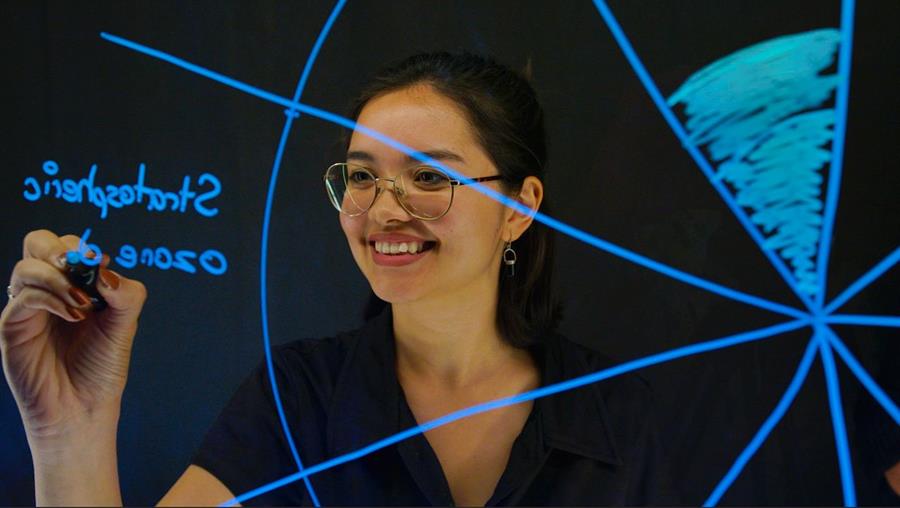
The Lightboard is a brilliant tool that allows you to continuously face audience while you present and teach. The SMART Lightboard is a new digital version of the Lightboard. It uses a unique technology providing a digital 'layer' over the glass board allowing the user to write digitally, display and interact with images while maintaining direct eye contact with the audience and the benefits of the traditional Lightboard. As the SMART Lightboard is a digital solution it has a number of benefits over traditional Lightboard technology but what are they? Benefits of the Smart-Lightboard include:
Lightboard PensWhich markers work best? One question we are always asked is "what are the best pens to use on my Lightboard?" There are numerous pens on the market which all have different benefits. We have tested some of the top markers and put together some feedback and tips. Expo: Positives- An easy marker to use, the markers are ready to use right out of the box with no need to "activate" them (shake or press the tip to get ink to flow). They are quiet with very little squeaking and no rattling sound from an internal ball. Bullet tip that writes clearly and is Wider Line Markings than the other markers. Negatives - They lack consistency, some produce more ink and colour than others. Brightness reduces towards the end of their life. Dry erase but take longer to dry than some alternatives. They are expensive and difficult to find outside of the US. Quartet: Positives- Very fast at drying, easy to clean, good colour intensity and ink consistency across all pens. Negatives - can be squeaky, not as thick a tip and need to be "activated" to get the ink to flow. They are also expensive and difficult to find outside of the US. Rexel: - Positives- The easiest pens to clean and cheapest pens on the market and can be found easily from most locations. Negatives- They have a very fine tip so the writing is thin, however this can be good for smaller Lightboards or making very precise annotations. These also need to be "activated" and shock often to ensure the ink flows well. We hope you found this useful and please feel free to contact us with any questions. 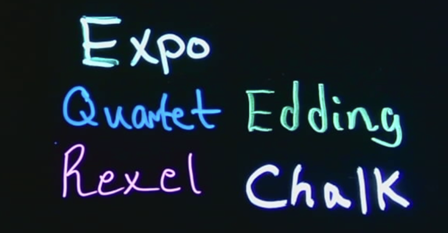
Edding: Positives- Good colour saturation that is consistent across pens. Different tip options are available including Chisel tip which creates a calligraphy style of writing and allows you to draw thicker and thinner lines with the same pen. Dry erase and easy to clean with cloths. Negatives- These can squeak when writing and they dry out faster than some other markers. The chisel tip takes more practice to get right and write clearly. Chalk Markers (e.g. Stationery Island): Positives- Very bright, bold colours and available in much thicker tips and large range of colours and tip shapes. They last a long time and are well priced and available online in all locations. Negatives - These are not dry erase so are much harder to clean, you need to wait longer for the ink to dry and use more pressure, if not the ink will smudge a lot. They need to be activated to be used and have quite a loud rattling sound from the ball inside. Result Summary Everyone has a different preference to the type of pen they prefer when it comes to thickness of the pen, intensity of colour and brightness. When looking for markers for your Lightboard the key things you should look for are that the pens are neon in colour, dry erase for ease of cleaning and then pick the type of tip you prefer to get your desired writing style. 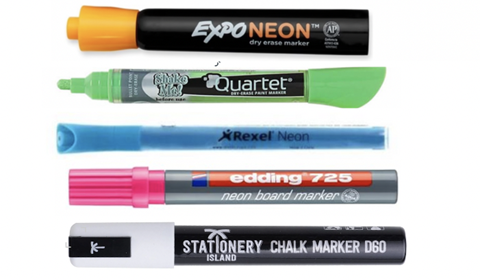
Student FeedbackResearch from a study at the University of Liverpool Lightboards are a great teaching tool that have been deployed globally to improve student engagement and the overall learning experience. In this research conducted by the University of Liverpool we can see first hand what students actually think of learning with a Lightboard and if it improves their experience. This study was taken from an undergraduate course in microeconomics which was performed using a Lightboard. The students were then asked questions on their experience of the course and the Lightboard itself with some very interesting and encouraging results for the use of Lightboards. 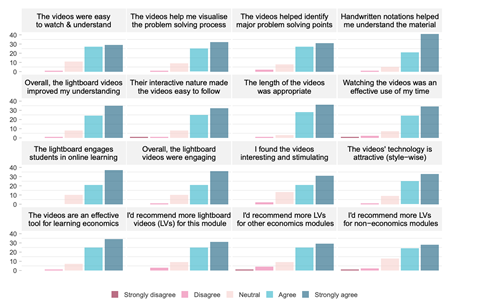
The study suggests that the majority of students, in some cases 85%+ agreed that Lightboards improved their learning experience and their understanding of the course. "the most popular answer was “strongly agree”, indicating that students consider that the lightboard videos improved their understanding. Students saw the ability to see the instructor’s handwritten notations to be particularly helpful for their overall understanding." Research from Let there be light! University of Liverpool; Erin Hengel To Stay Up To Date Follow Us on Social Media      |
 +31 108906623 | Learning Glass Europe B.V. Overwegwachter 4, 3034 KG, Rotterdam, Netherlands
 +44 (0)203 6034447 | Learning Glass Europe Ltd. 20-22 Wenlock Road, Suite: LP58201, London, N1 7GU